


Pricing
Products
Get Proxies
Resources
Language

Pricing -70%
Dynamic Residential

Dynamic Residential Traffic (GB)
Suitable for: Data collection, market research, and data collection.
Starting from
$0.49 /GB
Premium Dynamic Residential Traffic 
Suitable for:price monitoring, AI data scraping and other high-demand scenarios.
Starting from
$0.90 /GB

Dynamic Residential IP (Lines)
Suitable for: Email registration, web scraping, surveys, and other use cases.
Starting from
$0.027 /IP

Unlimited traffic - bandwidth
Suitable for: high-volume downloads of audio, video, and other data.
Starting from
$34.5/day

Unlimited Traffic - Port
Suitable for: questionnaire surveys, text and image downloads, and Brand protection.
Starting from
$0.31/Port/day
Static Residential
Products
Products
SERP API
Get real-time search engine results with multi-engine and multi-region support.
Dynamic Residential Traffic
Global resources with precise city-level positioning.
Unlimited Residential Traffic
Supports multiple ports and high bandwidth, unlimited traffic IPs with no extra fees.

Long-term Static ISP
Exclusive long-term static resources, providing unparalleled speed and reliability.
Popular Areas
Get Proxies
Resources
Get Started
Why Use Overseas Residential IPs for Social Media?
 Freja Astrid Andersson
 2026-11-17
When managing social media accounts across different countries and regions, network connectivity is essential for everyday tasks such as logging in, publishing content, and conducting market research. The location and network source of a connection can directly affect the account’s user experience.
Overseas residential IPs are commonly used to meet these needs. They come from local Internet Service Provider (ISP) residential broadband networks, making the network environment more similar to that of ordinary users in the target market.
How do residential IPs differ from datacenter IPs? And how should you choose between them for single-account and multi-account management? This article explains the practical uses of overseas residential IPs and how to choose the right type for your needs.
Social media performance depends on more than content quality. The target market, account usage habits, and network environment can all affect how an account performs. For teams targeting overseas markets, using network resources suited to the target region can make everyday account management and market research more convenient.

Understanding Local Content and User Preferences
Users in different countries and regions have different content preferences, trending topics, and consumer habits. The same type of content may receive very different levels of engagement across markets.
For example, teams managing TikTok accounts targeting the US market need to understand local trending topics, content trends, and user interests. For the Japanese market, content strategies should reflect local users’ interests and preferences.
The content displayed by a platform may be influenced by the user’s location, account history, and interaction behavior. Accessing the platform through a residential IP from the target region can help account managers view locally available public content and gather useful insights for content planning.
Keeping the Login Environment Consistent with the Target Market
Social media platforms may consider an account’s login IP location, network ownership, and device information when assessing whether a login is consistent with its usual activity.
For example, an account that primarily targets the US market may appear inconsistent if its login IP frequently switches between different countries. If the same account appears to log in from the US one day and Singapore the next, the platform may request additional verification or temporarily restrict certain features.
Using an overseas residential IP that matches the target market can help maintain a relatively consistent network environment. However, the IP type alone cannot determine whether an account is secure. Platforms may still conduct verification or security checks based on other signals.
To understand why residential network sources are often more suitable for these operations, it is important to look at the differences between residential and datacenter IPs.
There are several types of overseas network resources, with residential IPs and datacenter IPs being two of the most common. Both can connect to networks in the target region, but their key difference lies in their network sources: one comes from ordinary home broadband connections, while the other comes from data centers.
Datacenter IPs: Connections Identified with Data Centers
Datacenter IPs come from network resources provided by data centers, cloud service providers, or server hosting companies. They are primarily intended for server deployment, cloud computing, and automated tasks.
For social media account management, the issue is not whether these IPs can be used. Rather, their network sources have several characteristics worth considering:
These characteristics are not inherently negative, but they differ from the network environment of ordinary users accessing the internet through home broadband. When social media accounts consistently use this type of connection, their network environment may be less aligned with that of regular users.
Residential IPs: Connections from Ordinary Home Broadband Networks
Overseas residential IPs come from local ISP residential broadband networks. These IP addresses are registered under residential broadband providers.
For example, US residential IPs come from residential broadband networks provided by local ISPs in the United States, while Japan residential IPs come from residential network resources in Japan. They share the same type of network source as the connections used by ordinary households, without the data center characteristics described above.
For social media operations, the value of residential IPs is not that they are inherently more advanced. It is that their network sources are of the same type as those used by ordinary users in the target market. For everyday account logins, content publishing, and interaction management, the connection comes from a network source that naturally aligns with the local user environment.
Key Differences Between Residential and Datacenter IPs
| Comparison | Overseas Residential IPs | Datacenter IPs |
|---|---|---|
| Network source | Local residential broadband networks | Data centers or cloud service providers |
| IP ownership | Usually registered under residential broadband providers | Usually registered under data centers or hosting providers |
| Network usage | Intended for everyday household internet access | Primarily used for servers and automated tasks |
| Network characteristics | Similar to those of ordinary household users | Has typical datacenter network characteristics |
| Common uses | Social media operations, overseas market research, etc. | Server deployment, cloud computing, automated tasks, etc. |
Datacenter IPs are not unusable. However, their network sources differ from those of ordinary residential users, which can make them less aligned with typical user environments for social media operations. The value of residential IPs lies in providing a network source of the same type as that used by ordinary users in the target market.
Both residential IPs and datacenter IPs can connect to networks in a target region. The difference is that, in some operational scenarios, simply establishing a connection is only the basic requirement. The network source itself can also matter.
The following three scenarios highlight where residential IPs can be particularly useful for social media operations.
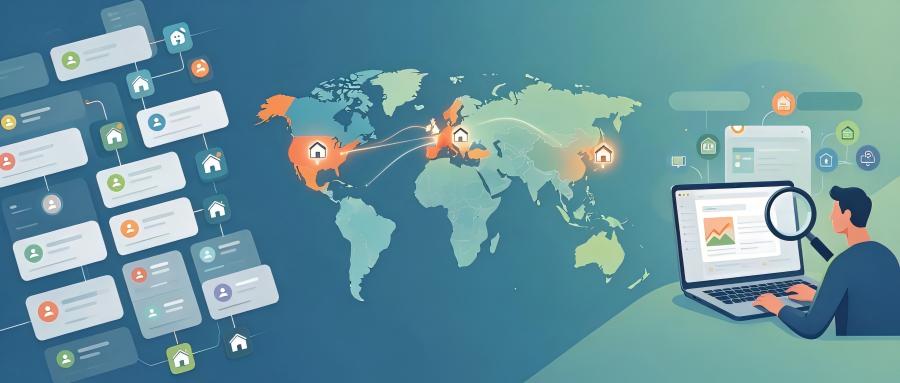
Managing Accounts Across Multiple Regions: Matching Both Location and Network Source
When a business targets multiple countries and regions, its team usually needs to organize accounts and daily tasks according to each market. For example, a company managing TikTok accounts for the US, UK, and Japanese markets should ideally use network resources that match each account’s target market for everyday logins and content management.
The key is not simply to choose an IP from the target region, but to choose an IP that also comes from a local residential network. If an account targets the US market, using a connection from a US residential broadband network aligns both the location and network source with those of ordinary local users. With a datacenter IP, the location may be correct, but the network source is different, meaning only part of the requirement is met.
Overseas residential IPs provide residential network connections in different countries and regions. Account managers can select resources based on each account’s target market, aligning both the location and network source.
Managing Multiple Accounts: Keeping Account-to-Network Assignments Clear
As the number of accounts grows, teams need to manage more than just the accounts themselves. They also need to keep track of the network connections associated with each account.
The role of residential IPs here is not to manage accounts for the team, but to make network assignments easier to track and maintain. Teams can record the IP resources used by each account according to its target market, assigned operator, and business responsibilities. When transferring accounts, performing routine maintenance, or troubleshooting login issues, they can quickly identify which network connection has changed instead of having to work through a list of accounts without knowing which connection belongs to each one.
This approach depends on having stable and traceable IP resources. Dynamic residential IPs need Sticky Sessions, while static IPs need a fixed rental period. Otherwise, recorded account-to-IP assignments may not remain consistent.
Market and Competitor Research: Viewing Public Content in the Target Market
Residential IPs can also be used for market research. By connecting through a residential network in the target region, account managers can view publicly available local content, follow trending topics, monitor competitor accounts, and review marketing campaigns.
When researching the US market, for example, teams can look at popular content formats, current trending topics, and the content strategies of similar accounts before developing their own content plans. Accessing the platform through a residential network can provide a viewing environment that is closer to what ordinary local users experience.
However, recommended content is also influenced by account history and interaction behavior. A residential IP can provide access from the target region, but it cannot guarantee that users will see exactly the same content as every local user.
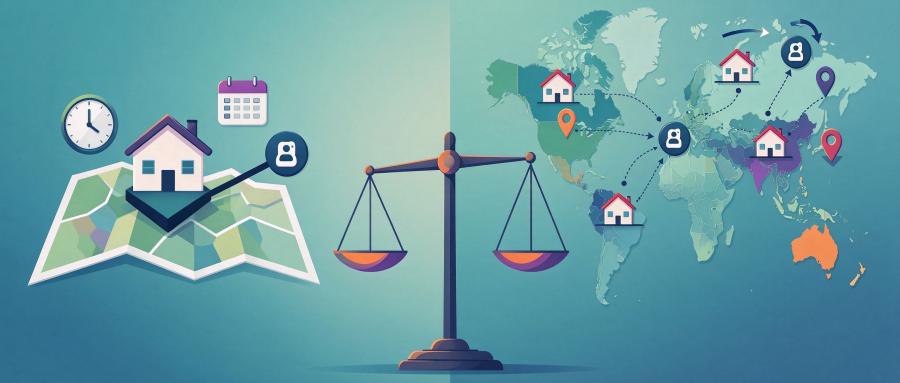
Different social media activities have different IP requirements. Some accounts need to use a relatively fixed IP over an extended period, while other tasks require switching between countries or regions according to operational needs.
Two common options are Long-Term Static ISP IPs (also known as static residential IPs) and Dynamic Residential IPs. The right choice depends on your account management approach, operating period, and target regions.
Long-Term Static ISP IPs: Suitable for Long-Term Account Management
The main feature of a Long-Term Static ISP IP is that its IP address remains unchanged throughout the rental period. It is a suitable option for social media activities that require a consistent IP address over time.
Common use cases include:
When choosing a Long-Term Static ISP IP, pay attention to four factors: its actual network source, whether it is dedicated, the rental period, and connection stability.
Dynamic Residential IPs: Suitable for Multi-Region and Flexible Operations
The IP address of a Dynamic Residential IP can change periodically or on demand according to the provider’s rules. These products typically cover residential resources across multiple countries and regions, making them suitable for activities that require flexible IP or location changes.
Common use cases include:
Some Dynamic Residential IP products also support Sticky Sessions, which allow the same IP address to be maintained for a set period and reduce the chance of an address change during a session. For multi-account operations, this directly affects whether account-to-network assignments can remain consistent.
When choosing a Dynamic Residential IP, check its rotation mechanism, Sticky Session duration, available locations, and traffic billing method.
Choosing an IP Type Based on Your Operational Needs
Different activities have different requirements for IP stability and flexibility. The following table can help you compare the options:
| Operational Requirement | Recommended IP Type | Key Consideration |
|---|---|---|
| Managing a single account or a small number of core accounts | Long-Term Static ISP IP | Maintain a relatively fixed network source |
| Everyday management of multiple accounts | Primarily static IPs; dynamic IPs with Sticky Sessions as needed, assigned according to account ownership | Give each account a traceable and relatively stable network source |
| Frequently switching between countries or cities | Dynamic Residential IP | Flexibly select different locations |
| Live streaming and ongoing content operations | Long-Term Static ISP IP | Maintain a consistent network connection |
| Short-term marketing campaigns across multiple regions | Dynamic Residential IP | Allocate network resources flexibly |
| Keeping the same IP for a short period | Dynamic Residential IP with Sticky Sessions | Maintain the same connection source for a set period |
For everyday management of multiple accounts, a strict one-account-one-IP setup is not a universal requirement. The actual configuration should depend on the number of accounts, management approach, platform requirements, and provider policies.
Regardless of the setup, each account should have a traceable network connection that can be identified and managed.
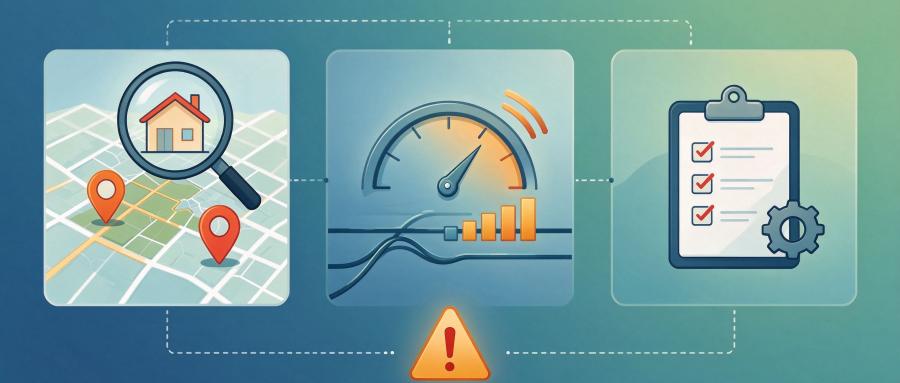
Choosing the right IP type does not necessarily mean the product will work as expected once purchased. If the location, connection quality, or product rules are not clearly confirmed beforehand, you may find that the resources do not meet your needs after you start using them. Making changes at that point can be more troublesome than choosing the right product initially.
Confirm the IP Location and Network Source
If an account targets a specific country or region, first check whether the provider offers resources in that location and whether city-level targeting is available.
For example, if an account consistently targets the US market, confirm that the provider offers US residential IPs and check which locations are covered. If the provider only specifies “United States” without clarifying the actual available cities, the login environment may not fully match the intended market.
On the other hand, if your business only requires a residential network source and does not have strict country requirements, you can consider Dynamic Residential IP products that provide globally randomized IPs. These products do not specify a particular country or city, offering greater flexibility in IP allocation. Actual available locations depend on the provider’s specifications.
Before purchasing, you can also use a third-party IP lookup tool to check the IP’s geographic location, network ownership, and type.
Test IP Connection Quality
Even if the IP type and location meet your requirements, the actual connection may not perform as expected. Before using an IP for account operations, test at least the following three aspects:
After completing basic connection tests, you can also observe actual account activity during a trial period. Check whether logins are smooth, content publishing is stable, and additional verification requests occur frequently.
Meeting technical specifications is one thing; how well the IP works in actual account operations is another. The latter is a more useful indicator of whether an IP is suitable for long-term use.
Understand the Product’s Usage Rules
Product policies can vary significantly between providers. Before purchasing, make sure you understand the following:
In addition, verify the source of the IP resources and review the provider’s privacy policy. Always follow the social media platform’s terms of service and avoid using the resources for automated activities or other actions explicitly prohibited by the platform.
For teams managing social media accounts in overseas markets, the network environment is an easily overlooked but essential part of daily operations. Overseas residential IPs provide a network source of the same type as that used by ordinary households in the target market. They can be useful for managing accounts across multiple regions, handling everyday account activities, and conducting overseas market research.
Choosing the right type ultimately comes down to two questions: Does the account need to keep the same IP address over the long term? Does the business need to switch between regions frequently?
If you need to use the same IP address over an extended period, consider a Long-Term Static ISP IP. If you need to switch flexibly between countries or regions, a Dynamic Residential IP is a better fit. If your account activities require session persistence, look for a dynamic product that supports Sticky Sessions.
An IP addresses the network source aspect of the connection, but successful account management also depends on devices, login behavior, content quality, and platform policies. Choosing the right IP provides a solid foundation, but it is not a one-time solution. Monitor actual performance after deployment and make adjustments when necessary.
An IP address is only one factor platforms consider when assessing account logins. Device changes, inconsistent time zones, or unusual activity may also trigger verification. Keep your login devices and network environment relatively consistent.
Not necessarily. The setup depends on your account management needs. Core accounts can use dedicated Long-Term Static ISP IPs, while other accounts can use Dynamic Residential IPs with Sticky Sessions. Keep clear records of each account’s network assignment for easier management.
Choose a duration based on how long you need to maintain the same connection. 1024proxy Dynamic Residential IPs support Sticky Sessions from 1 to 120 minutes.
Use a fixed Long-Term Static ISP IP to maintain a consistent network connection. 1024proxy also supports adding sub-accounts through username and password authentication, allowing team members to manage resources with their own accounts.
Exclusive 1024proxy Blog Reader Offer – First-Order Discount for New Users
1024proxy offers premium residential IPs for diverse business needs.
Use code uROEztvZMk at checkout for 5% off your first order.
For IP purchasing or usage assistance, contact us at: support@1024Proxy.com
Telegram
 Sales Manager

@proxy1024

 Sales Manager

@proxy1024_com
Private transfers are not accepted. Please make the payment through the official website!
Emai
Official Email
support@1024proxy.com 
-Provide your account and describe the issue you encountered.
- We will respond within 24 hours.